Case Study
Evolution of AI Automation Agent
A journey from siloed tools to autonomous AI teammates in talent acquisition.
Project Context
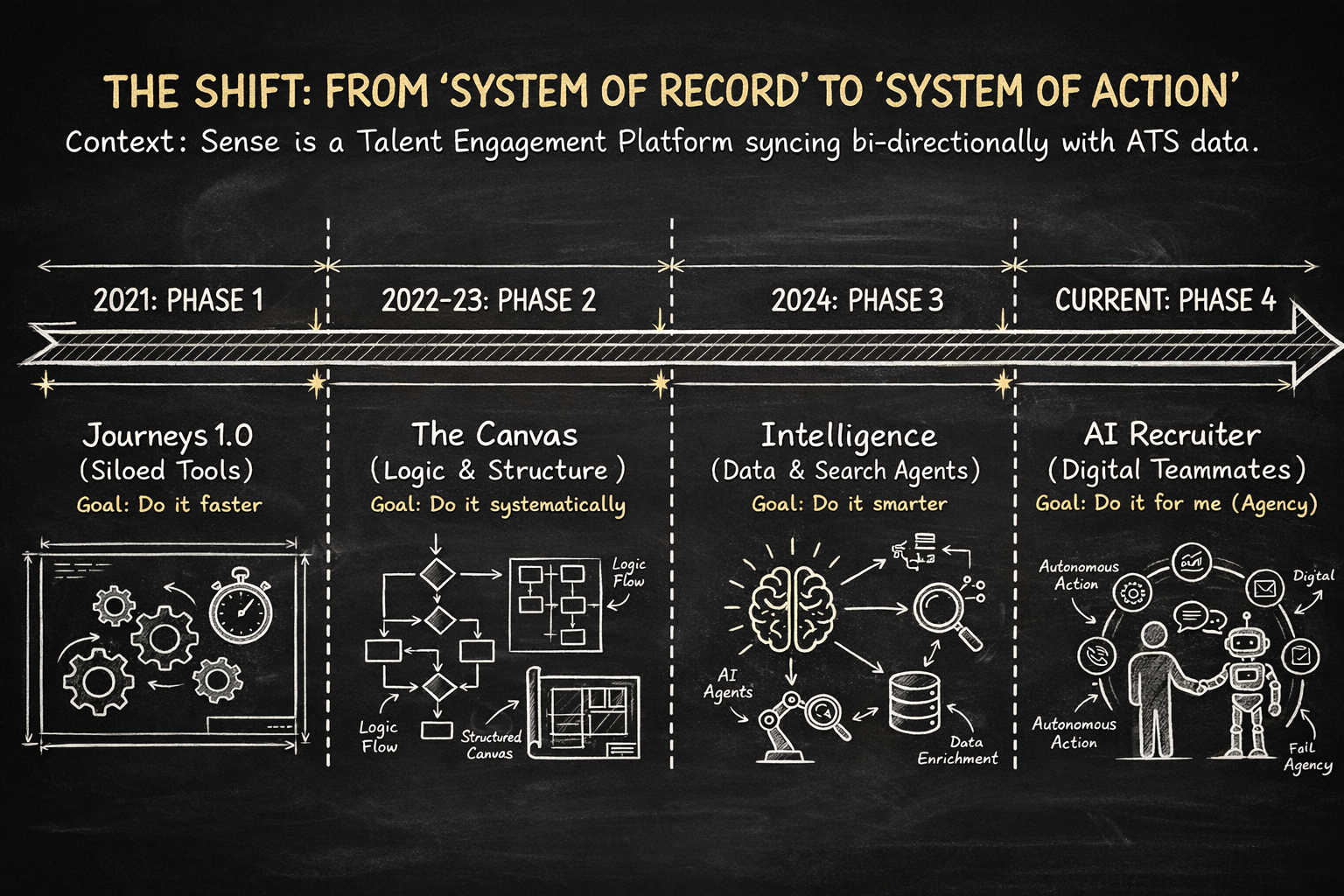
About sense: Sense is an enterprise Talent Engagement Platform used by staffing agencies to accelerate hiring. It operates as a System of Engagement that syncs bi-directionally with an Applicant Tracking System (ATS), automating communication across the entire talent lifecycle.
About Project: This case study demonstrates my journey as a product designer in overall evolution of sense products to AI Agents
The Ecosystem of Use Cases
Before diving into the evolution, it's important to understand the breadth of problems Sense solves. The platform covers four main pillars:

Sourcing & Attraction
Reactivating dormant candidate databases ("Wake the Dead"), referral automation, and chatbot screening.

Candidate Engagement
Post-application acknowledgments, interview reminders, and status updates to prevent ghosting.

Recruiter Efficiency
Automated interview scheduling, candidate scoring, and bulk messaging at scale.

Employee Engagement
Onboarding workflows, NPS surveys, and assignment-end redeployment.
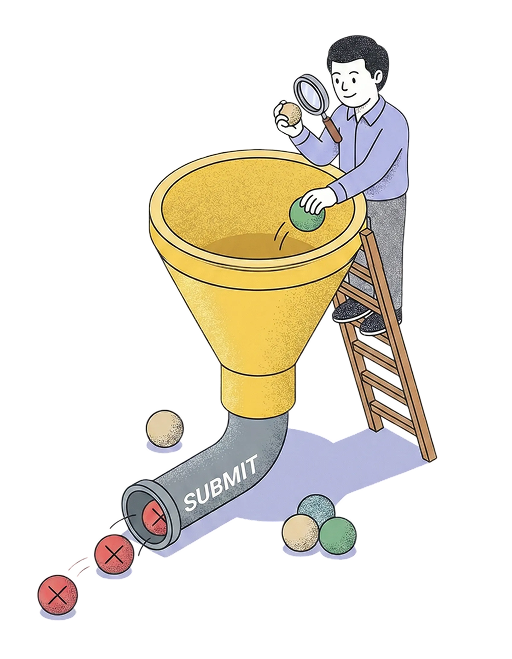
Hero Use Case: Auto-Submission
 The Problem
Recruiters spent hours manually searching their database for candidates who matched a new job order, calling them one by one, and screening them before submitting them to a client.
 The Goal
Design a system that detects a new job, identifies the best matches, screens them via Voice/Chat, and submits qualified profiles to the recruiter — zero human intervention required.
Key Personas
Designing this evolution required balancing the conflicting needs of three distinct users.



My Role & Cross-Functional Collaboration
As Staff Product Designer for the Workflow Builder, I established a rigorous collaboration framework early on to ensure we were solving the right problems before a single pixel was pushed.
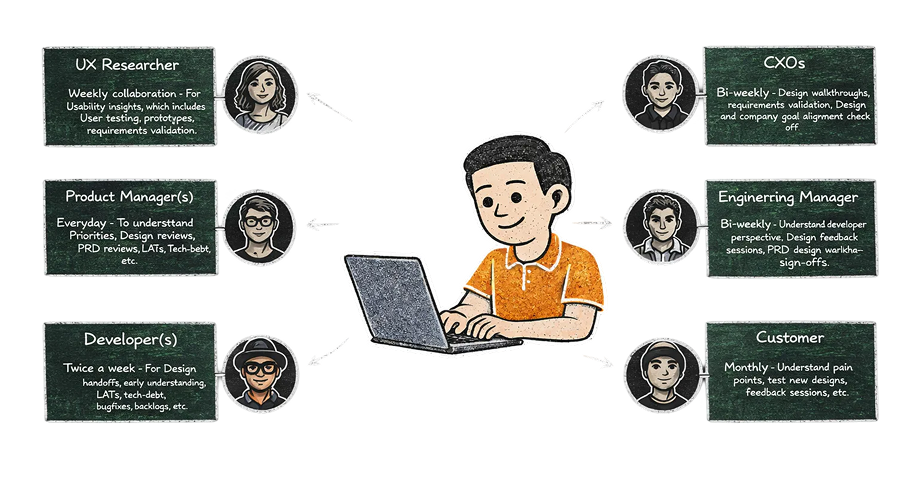
This is how my typical busy week look like...
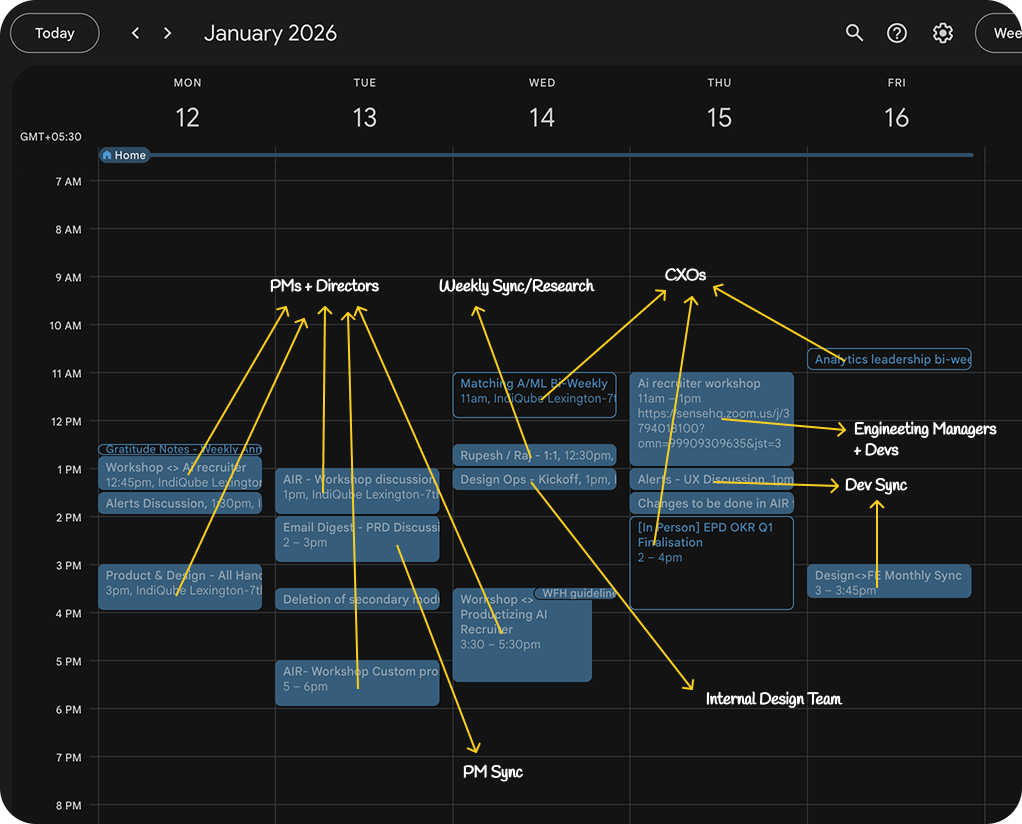
Although the calendar look Chaos, we follow a framework to achieve efficiency in design
And we like to keep the process and product organized at same time...
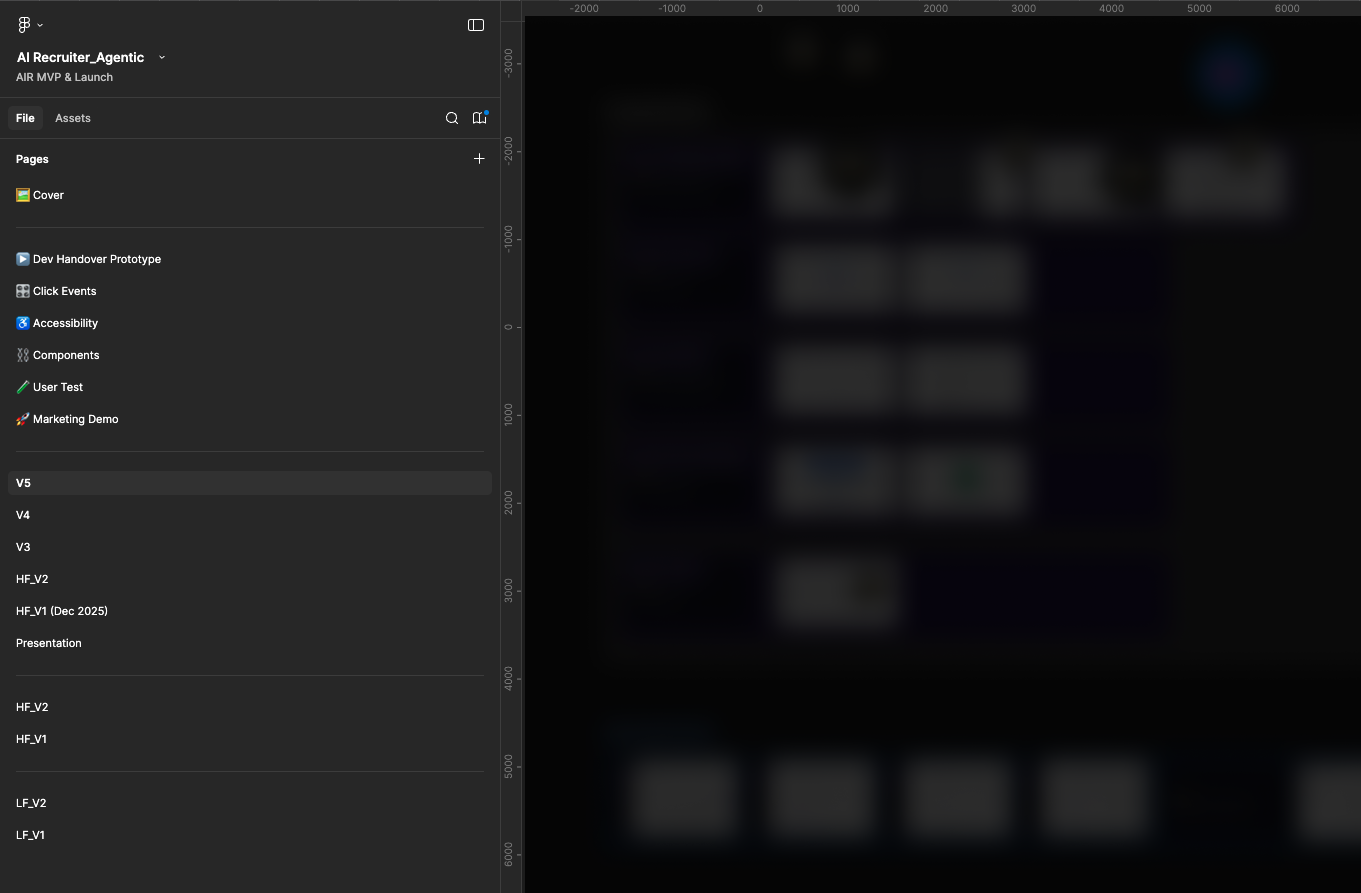
Phase 1: The Era of Siloed Products (Journeys 1.0)
The Context (2021)
When I joined Sense, the ecosystem was defined by Engage 1.0. While the platform offered powerful capabilities, they operated as "point solutions"—separate tools that solved specific problems but lacked a unified "central nervous system" to pass data between them.
Here is a breakdown of the core products Sense had at that time and the specific UX challenges they presented:
1. Journeys 1.0 (Linear Automation)
What it did: This was the primary automation engine. It allowed recruiters to send linear sequences of emails or SMS based on a trigger (e.g., "Candidate Applied").
The UX Friction: It was "Context Blind." A journey was merely a list of events. If a candidate clicked a link in Email 1, the system had no native way to branch logic to send a specific SMS in Step 2.
The "Clutter" Problem: Because assets weren't reusable, customers like Pacific Companies had to create hundreds of duplicate touchpoints within a single journey. If they wanted to send the same survey to a slightly different list, they had to clone the entire touchpoint, resulting in massive, unmanageable workflows.

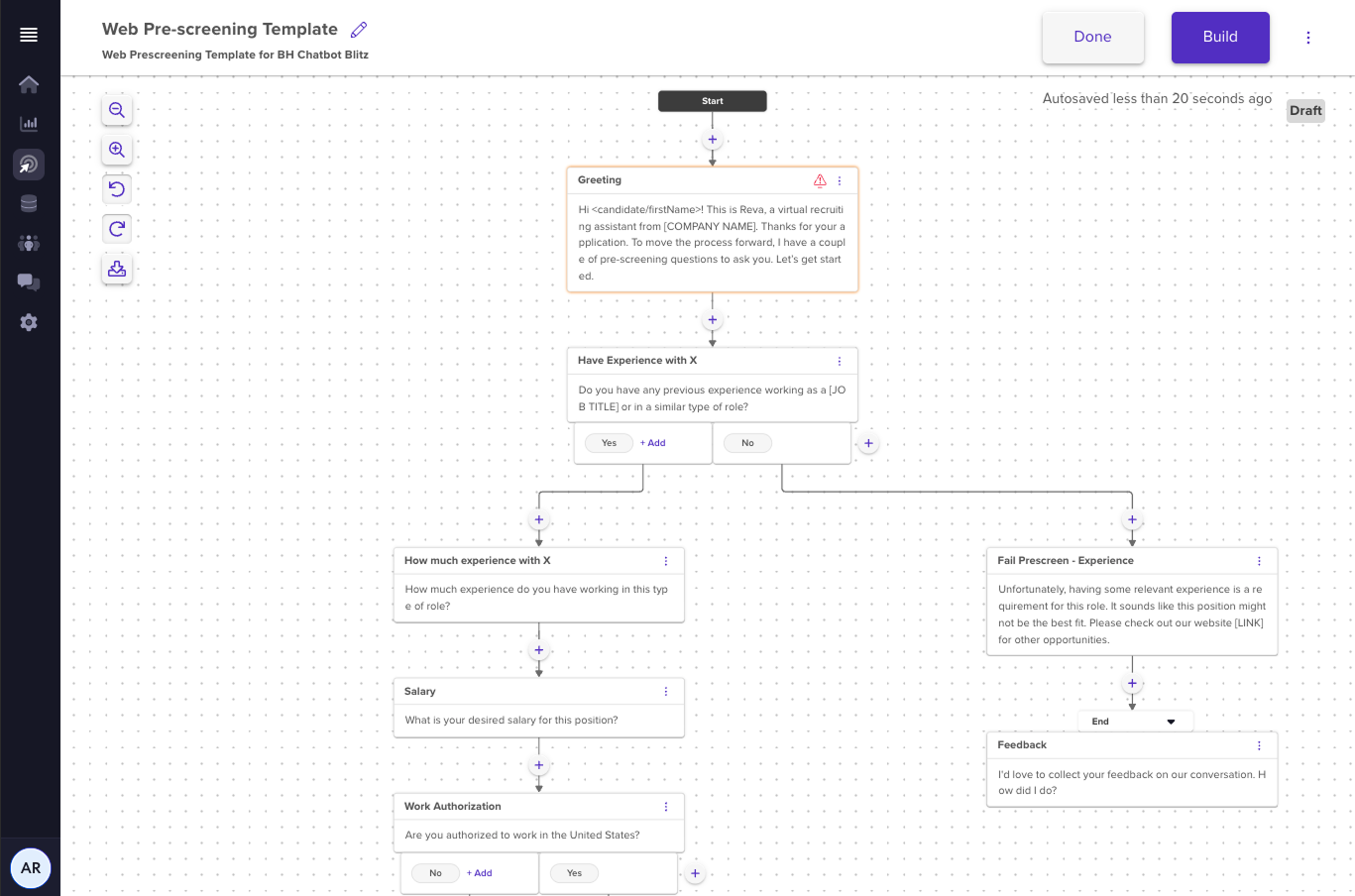
2. Chatbot Builder 1.0 (Basic Data Collection)
What it did: A tool to create conversational interfaces for screening candidates or gathering feedback. It replaced static web forms with chat interfaces.
The UX Friction: It was rigid.
- Limited Logic: It only supported single-level conditional branching (e.g., you couldn't nest complex logic deeper than one step).
- No "Text Piping": It couldn't recall a candidate's name or previous answer to personalize the next question (e.g., it couldn't say "Thanks [Name], how many years of [Skill] experience do you have?").
- Validation Issues: It lacked built-in validation for emails or phone numbers, leading to dirty data entering the ATS.
3. List Builder 1.0 (Static Segmentation)
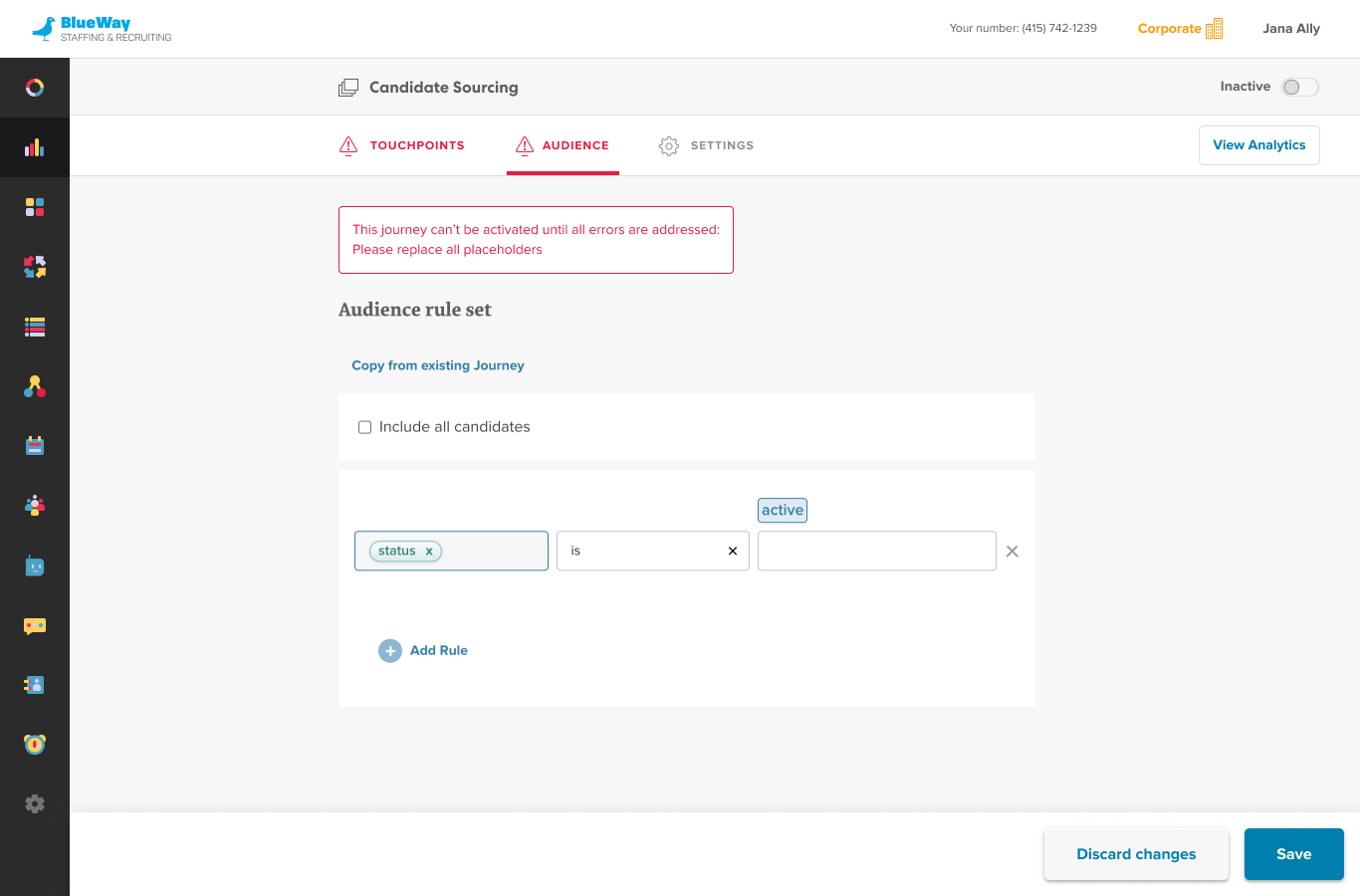
What it did: The engine for defining who to contact. It allowed users to filter candidates based on ATS data (e.g., "Status = Active").
The UX Friction: It was "Tightly Coupled." Lists were often built inside a specific journey rather than existing as independent, reusable assets.
- No Boolean Power: It lacked advanced "AND/OR/NOT" rule building, making it difficult to create precise segments (e.g., "Candidates in NY OR NJ, but NOT placed in the last 30 days").
- Static vs. Dynamic: Users struggled to differentiate between a one-time static list and a dynamic "Smart List" that updated automatically, leading to errors in automation triggering.
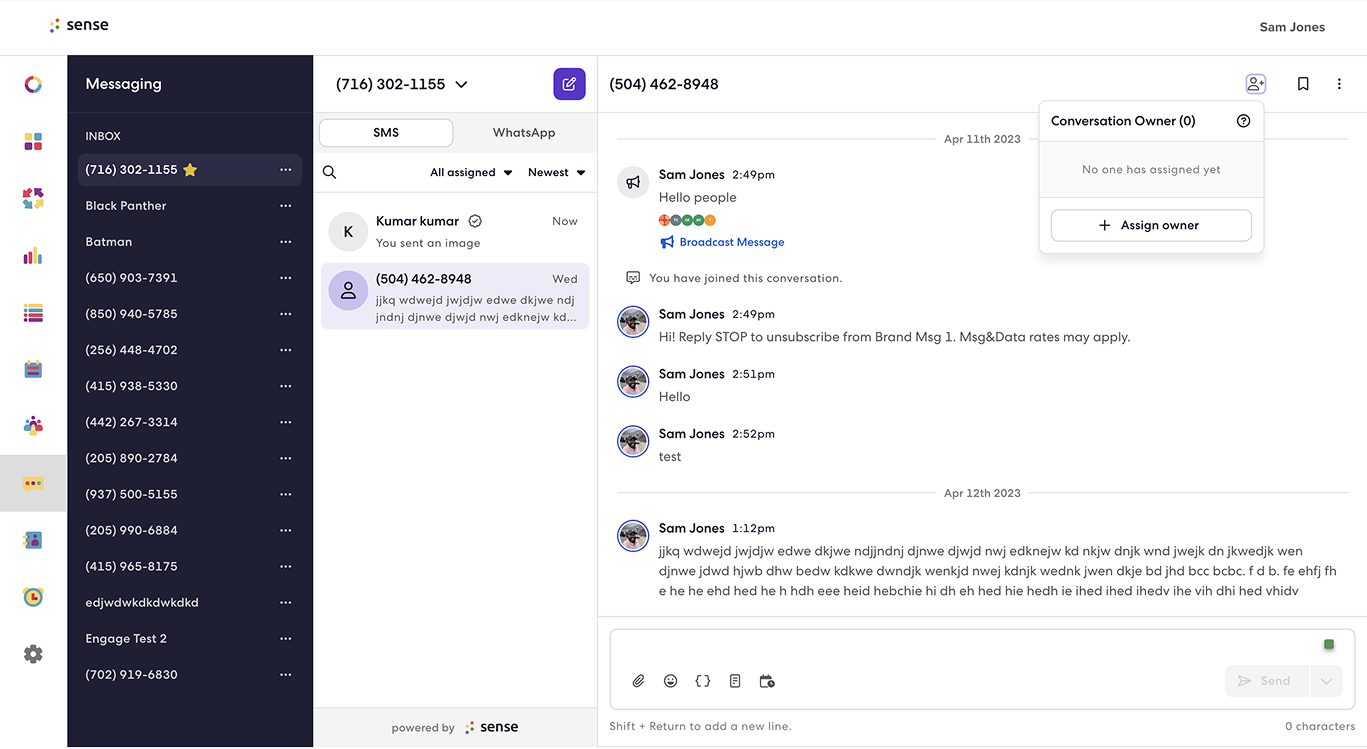
4. Messaging (Bulk Outreach)
What it did: A console for 1:1 texting or Mass SMS blasts (Broadcasts).
The UX Friction: It was an isolated island. Recruiters used it for ad-hoc communication (like "Quick Sends"), but it was disconnected from the broader automation strategy. Data from a text conversation didn't easily trigger a follow-up journey.
The Auto-Submission Struggle (The "Before" State)
Because these products were silos, a "Hero Use Case" like Auto-Submission was a manual nightmare. A recruiter had to act as the "human API" connecting these tools:
- Manual List: Build a static list of candidates in List Builder using limited filters.
- Disconnected Content: Go to Chatbot Builder, create a new bot from scratch (no reusability), and manually copy the web link.
- The Blast: Move to Messaging to paste that link into a bulk SMS.
- The Black Hole: Once sent, the automation stopped. The system couldn't automatically "Submit" a qualified candidate to a job; the recruiter had to manually download CSV reports from the chatbot to find who passed.
Our Contribution: We led the design for Chatbot 2.0 and List Builder 2.0 to solve these specific deficits. We introduced Modularity—redesigning chatbots and lists to be independent "objects" that could be attached to multiple workflows. This was the foundational "Lego block" strategy needed for the advanced automation to come.
Reusable Lists
Phase 2: The Unification — Workflow Builder 2.0
The Pivot
To solve the fragmentation of Phase 1, we needed a central nervous system. We led the design of Workflows (Journey Builder 2.0), moving the product from linear, disconnected lists to a visual Node-Based Canvas. This became the operating system where all Sense products (Messaging, Voice, Chatbot, Scheduling) converged.
The Product Solution: A Scalable Node Architecture
We designed a drag-and-drop canvas categorized into three distinct node types to handle enterprise complexity:
Understanding the Nodes
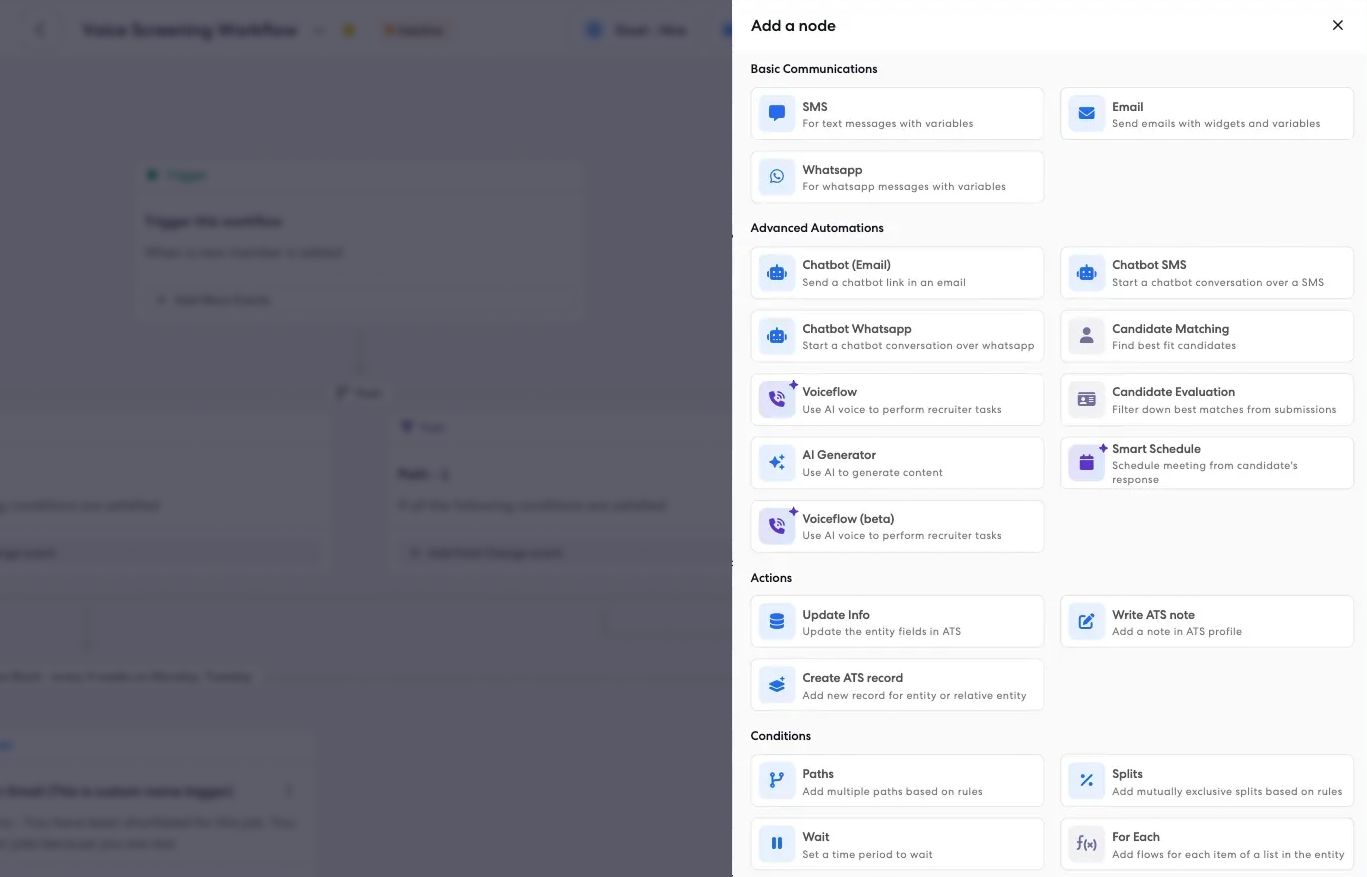
Action Nodes (The "Doers")
These perform specific tasks. We introduced modular nodes for SMS, Email, WhatsApp, and Voice, allowing recruiters to mix communication channels within a single flow.
Logical Nodes (The "Brains")
The Split Node: We designed this to divide audiences into mutually exclusive paths (e.g., "If Candidate Status = Active" → Path A, "Else" → Path B).
The Filter Node: allowed for single-input/single-output logic to remove unqualified candidates from a flow.
The Foreach Node: enables batch processing by iterating through lists or collections, applying actions to each item individually.
The Delay Node: introduces time-based control, allowing workflows to pause for specified durations before proceeding to the next step.
ATS Integrations
These perform updating the database, stages in CRM and writing the notes to ATS allowing recruiters to stick to Sense platform.
Create ATS Record: automatically generates new candidate records in the Applicant Tracking System, ensuring seamless data synchronization between Sense and the ATS.
Smart Nodes
Voiceflow: intelligent voice interaction node that enables natural language conversations with candidates through automated voice calls, handling complex dialogues and responses.
Smart Schedule: AI-powered scheduling node that automatically finds optimal meeting times by analyzing recruiter and candidate availability, reducing back-and-forth coordination.
Candidate Matching: intelligent matching node that uses AI algorithms to identify and rank the best-fit candidates for specific job requirements based on skills, experience, and qualifications.
Job Matching: reverse matching node that automatically identifies and suggests relevant job opportunities for candidates based on their profile, skills, and career preferences.
Understanding the User Flows
Creating workflow is intuitive and simple. Lets look on to a typical workflow creation to activation flow
Select a flow below to play video
Start by creating a new workflow from scratch. This initial step sets up the foundation for your automation process, allowing you to build a customized flow tailored to your recruitment needs.
Solving "Auto-Submission" in Phase 2
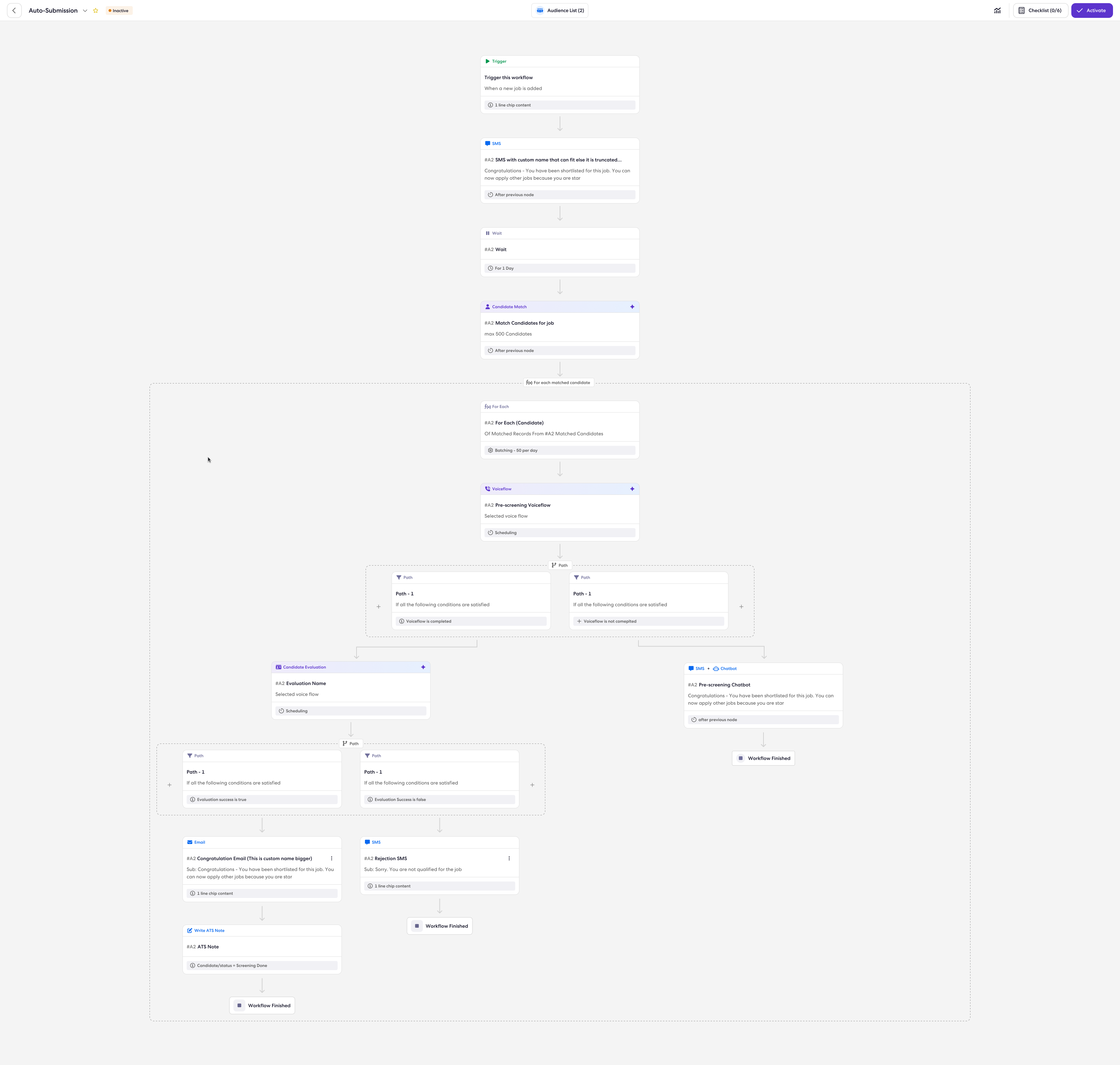
We transformed the manual, disjointed steps of Phase 1 into a cohesive, automated loop on the canvas:
- Trigger Node: "When a New Job is Posted" (Listens to ATS data updates).
- Job Match Node: Automatically scans the database for candidates matching the job criteria, replacing manual list building.
- Looping Logic: The system iterates through the matches.
- Screening Node: Triggers an SMS Chatbot or Email to gauge interest.
- Writeback Node: If the candidate responds positively, this node automatically updates the ATS field to "Submitted," completing the objective without human hands.
Impact & Metrics of Phase 2
The shift to this architecture delivered measurable operational and engineering wins:
- System Scale: The architecture was re-engineered to handle a predicted scale of 10 million automations per day, up from a 1 million cap in Phase 1.
- Latency Reduction: We drastically improved real-time performance.
- Trigger Latency: Reduced from 40 seconds to 8 seconds.
- Communication Latency: Reduced from 72 seconds to 9 seconds, ensuring candidates received near-instant responses.
- Adoption: We achieved the design target of 10 active journeys per customer, moving clients away from "one-off" blasts to continuous "always-on" automation.
- Efficiency: The new "Composite Node" structure and optimized build pipelines reduced Continuous Integration (CI) run times by ~60%, accelerating our release velocity.
Limitations of Phase 2: Why We Moved to Phase 3
Despite the architectural success of Workflows, the user experience hit a "complexity ceiling" that prevented full democratization of the tool:
1. The "Boolean Burden" (Complexity)
While the automation was powerful, the segmentation was still manual. To create the "Job Match Node" or a specific "Audience List," users still had to manually construct complex Boolean strings (e.g., "(Location = SF OR NY) AND (Skills = Java) AND NOT (Status = Placed)"). This required a high level of operational expertise, alienating average recruiters.

2. "Dumb" Logic (Lack of Intelligence)
The logic was rigid. A candidate either matched a keyword or they didn't. The system lacked the semantic intelligence to understand that a "React Developer" is also a good match for a "Frontend Engineer" role. It automated the process, but not the decisioning.
3. Data Blind Spots
Users struggled to analyze the performance of complex workflows. They needed to ask questions like "Why is my submission rate dropping?" but the dashboard only provided static charts. There was a disconnect between the execution (Workflows) and the insights (Analytics).
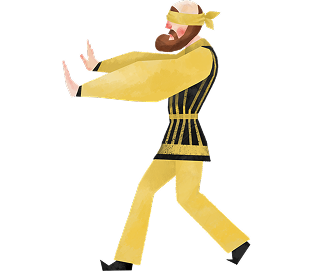
The Realization: We had built the "Railroad Tracks" (Workflows), but we needed a "Conductor." This necessitated Phase 3, where we introduced the Intelligence Layer (Ask AI & Jarvis) to bridge the gap between complex database logic and natural human intent.
Phase 3: The Intelligence Layer — Ask AI, Jarvis & AI Listers
The Pivot
By Phase 2, we had successfully built the "central nervous system" (Workflows) that could handle 10 million automations a day. However, users were hitting a cognitive ceiling. The tools were powerful, but complex. Users struggled to define who to target (complex filtering) and how to interpret success (complex analytics).
To bridge this gap, we designed the Intelligence Layer—a suite of Generative and Analytical AI tools designed to act as "Co-pilots" for the recruiter.
The Product Solution: Three Pillars of Intelligence
1. Ask AI (The Creative Assistant)
The Problem: Recruiters often suffered from "writer's block" when building workflows, resulting in generic, low-converting messages.
The Solution: We integrated a Generative AI assistant directly into the Workflow Canvas.
Functionality: It assists with creative tasks such as drafting engaging job descriptions, generating job-specific pre-screening questions, and re-writing SMS content to be more casual and less robotic.
Impact on Auto-Submission: Ask AI directly improved the Screening Node by automating the generation of "job-specific screening questions". Instead of sending a generic "Are you interested?" message, the AI analyzed the Job Description to generate precise qualification questions (e.g., "Do you have 3 years of React experience?"), accelerating the qualification process essential for auto-submitting candidates.
2. AI Lister Agent (Solving the "Boolean Burden")
The Problem: In Phase 2, creating a precise "Job Match" list required users to manually construct complex boolean strings (e.g., "(Location = SF OR NY) AND (Skills = Java) AND NOT (Status = Placed)"). This alienated non-technical recruiters.
The Solution: We designed a Conversational UI where users could simply type natural language intents.
- User Input: "Find me Java Developers in SF available now who haven't been contacted in 6 months."
- AI Action: The agent translates this intent into the rigid database query logic automatically, reducing list creation time from minutes to seconds.
Impact on Auto-Submission: This was critical for the "Candidate Match" step of Auto-Submission. Recruiters could now use natural language to build dynamic lists that instantly identified "Submission-Ready Candidates" based on nuanced criteria (like "looking to get jobs") rather than just keywords, ensuring the Auto-Submission workflow only targeted high-quality matches.
3. Jarvis (The Data Agent)
The Problem: Analytics were static. Users couldn't diagnose why a workflow was failing without exporting data to Excel.
The Solution: We designed the interaction model for Jarvis, a conversational analytics agent.
Functionality: Instead of navigating complex dashboards, users could ask, "Why is my Auto-Submission workflow failing?" Jarvis performs the mathematical heavy lifting, analyzing funnel data (e.g., drop-off rates at the "SMS Node") to provide instant diagnostic insights.
Impact on Auto-Submission: Jarvis empowered users to audit the "Auto-Submission Funnel" using natural language. Recruiters could ask, "Show me the conversion rate from Match to Submission," allowing them to instantly identify if candidates were dropping off at the outreach stage or the screening stage, enabling rapid optimization of the workflow.
Limitations of Phase 3: The "Co-Pilot" Ceiling
While Phase 3 made recruiters faster, it did not remove them from the process. We encountered three critical limitations that proved we needed to move to Phase 4 (The Agentic Shift):
1. Assistive vs. Autonomous (The "Human Bottleneck")
Phase 3 tools were Assistive. Ask AI could write the email, and AI Listers could find the candidates, but a human still had to push the button to launch the campaign. The system waited for human permission to act, meaning the "Speed to Lead" was still limited by how fast a recruiter could log in and approve tasks.

2. The "Execution Gap" (No Sensory Capability)
The AI was text-based and passive. It could read a resume, but it couldn't "hear" a candidate.
Scenario: If a candidate replied to a text saying, "I'm interested but I cost $100/hr," the Phase 3 system couldn't negotiate or verify that rate via a phone call. It lacked the Sensory (Voice) and Judgment (Evaluation) capabilities required to truly screen a candidate.

3. Disconnected Brains
Jarvis knew the data ("Open rates are low"), and Ask AI knew the content ("Here is a better subject line"), but they were disconnected. Jarvis couldn't tell Ask AI to fix the workflow automatically. The recruiter still had to act as the middleware between the insight and the action.
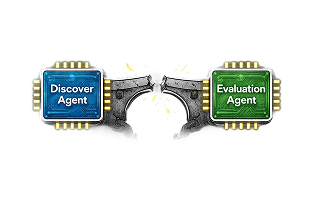
The Realization: We didn't just need a "Co-pilot" that offered suggestions; we needed a "Virtual Employee" that could do the work itself. This necessitated Phase 4, where we introduced Autonomous Agents (Grace, Voice AI) capable of acting, sensing, and deciding without human intervention.
Phase 4: The Agentic Shift — AI Recruiter & Voice Agents
The Final Evolution
The goal was to move from automation (doing what you are told) to agency (making decisions). This phase introduced the Agentic World, where we transitioned from linear workflows to a dynamic ecosystem of specialized agents.
Step 1: The Foundation — Multimodal Agent Builder
The first step in building an autonomous system was creating agents that could "speak" fluently across any channel.
The Problem: Legacy bots were rigid. If a candidate on SMS said, "Can you call me?", the bot would break because it lacked memory or voice capabilities.
The Solution: I led the design of the Agent Builder, a no-code interface that allows "Architects" to build Multimodal Chat+Voice Agents.
- Block-Based Architecture: Instead of wiring linear nodes, I designed "Blocks" (e.g., Job Match Block, Scheduling Block) that encapsulate complex logic.
- Context Store: This was the critical innovation. I designed the system to retain memory across channels. If a candidate ignores an SMS, the agent can autonomously switch to Voice, knowing exactly where the conversation left off.
- Dynamic Flow: Unlike the linear paths of Phase 2, these agents use an Agentic Orchestration Framework to autonomously decide the next best step (e.g., "Candidate is hesitant → Switch to Persuasion Script").
Step 2: The Orchestrator — "Grace" (AI Recruiter)
With the sub-agents built, we needed a manager. We introduced Grace (The AI Recruiter) as the central orchestrator that commands this virtual workforce.
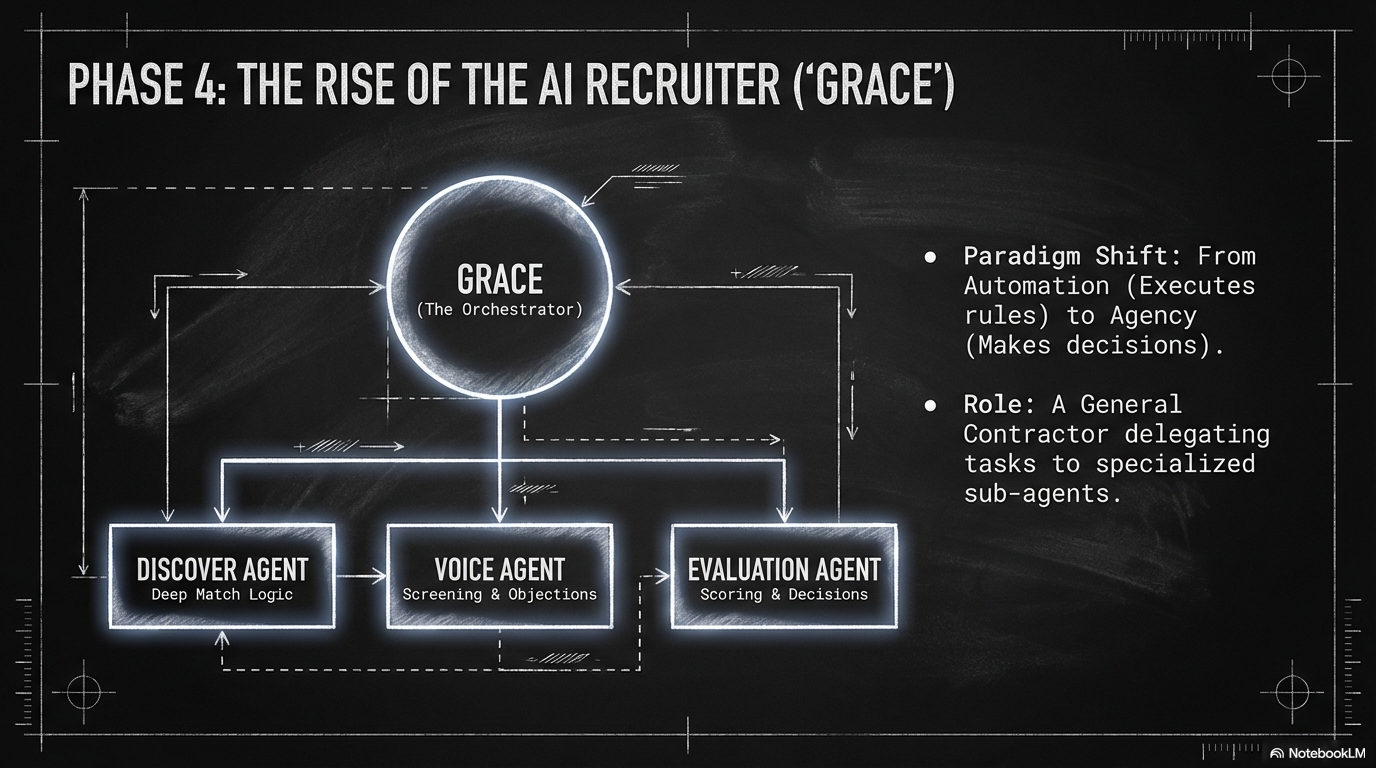
The Concept: "One Recruiter with the Power of a Team". Grace doesn't just do the work; she delegates it.
The Virtual Team:
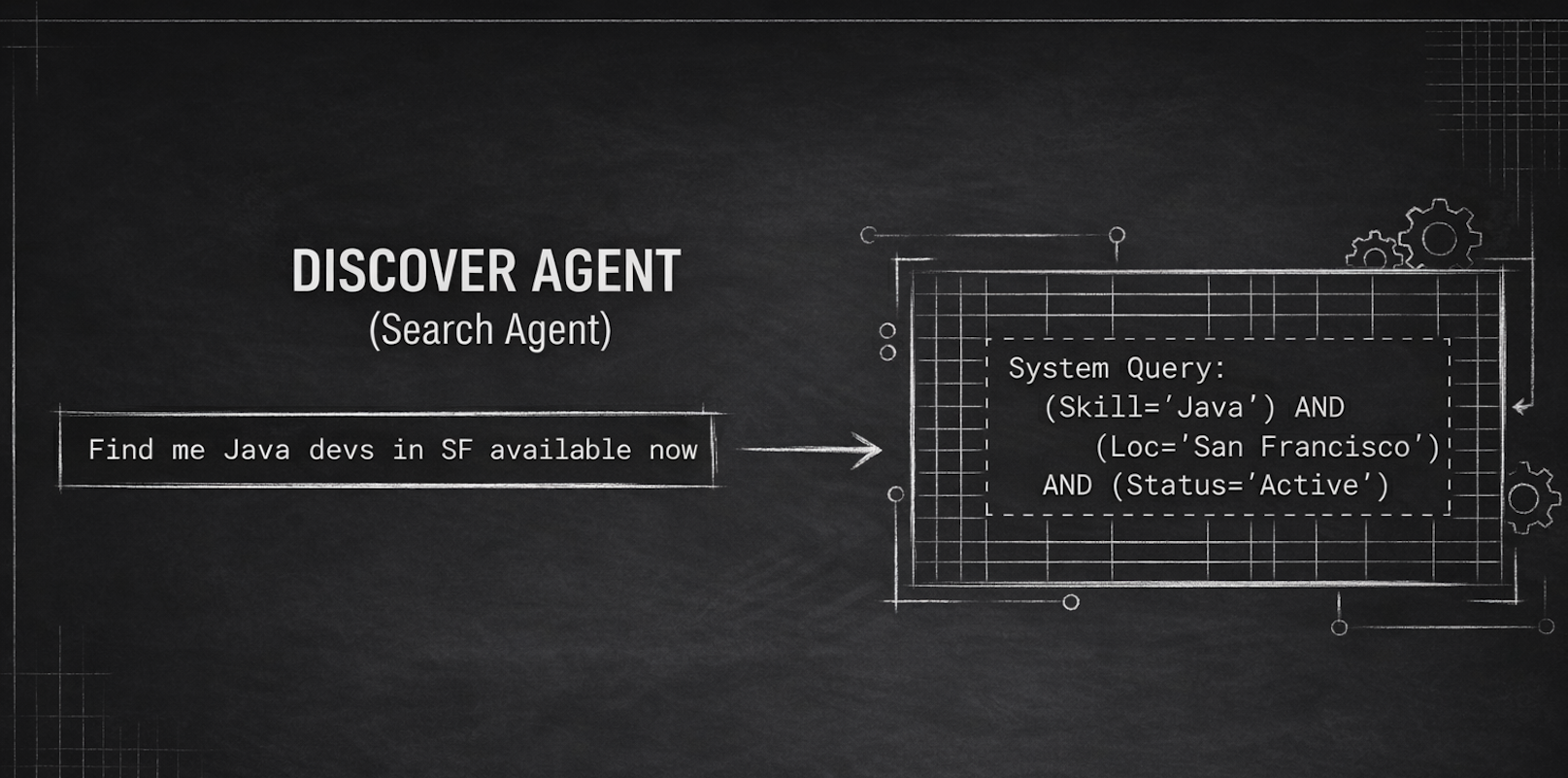
- Discover Agent (The Sourcer):
- Function: Grace commands this agent to scan the database. Unlike simple text matching, it uses Deep Match logic to rank candidates based on skills, location, and availability.
- Efficiency: It processes candidates in batches (e.g., 100/day) and features "Goal-based Exit" logic—meaning the agent automatically stops searching once it finds enough qualified candidates, optimizing resource usage.
- Capabilities: It supports advanced filters like Zip Code Radius for remote jobs and can now find candidates by phone number.
- Voice Agent (The Screener):
- Function: Created in the Agent Builder, this agent handles the phone screen. I designed the Voice v2 "One Node" architecture, which abstracts complex logic like retries into a single component.
- Agentic Behavior: It moves from "calls" to "conversations." The AI dynamically analyzes the transcript to determine call status (e.g., "Consented," "Hung Up," "Voicemail"), automatically scheduling up to 3 retries with configurable delays (e.g., 4 hours or 1 day).
- Capabilities: It includes a Dynamic Question Module (DQM) that reads the Job Description to auto-generate role-specific questions. It also supports WebRTC for international calling and allows admins to configure "Interruption Sensitivity" so the bot knows when to stop talking if a candidate interrupts.
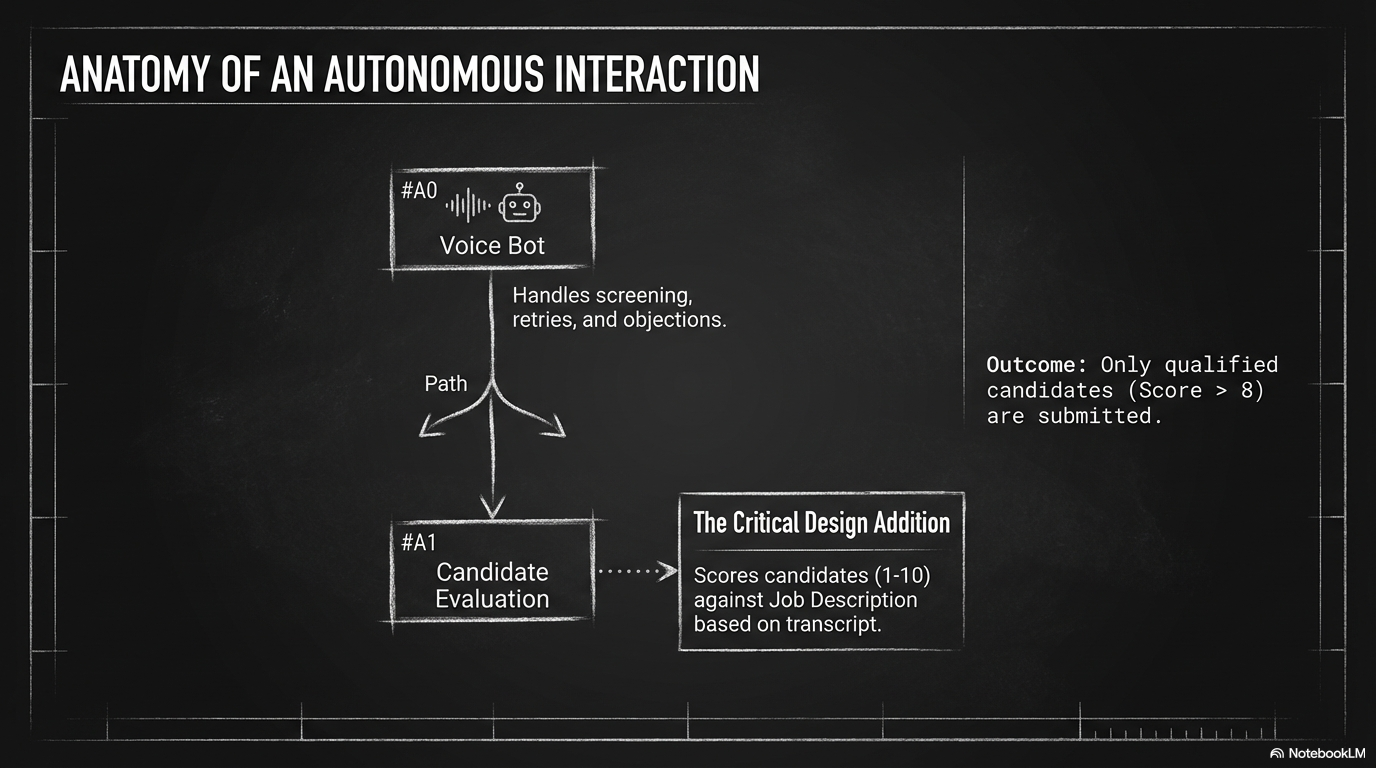
- Evaluation Agent (The Judge):
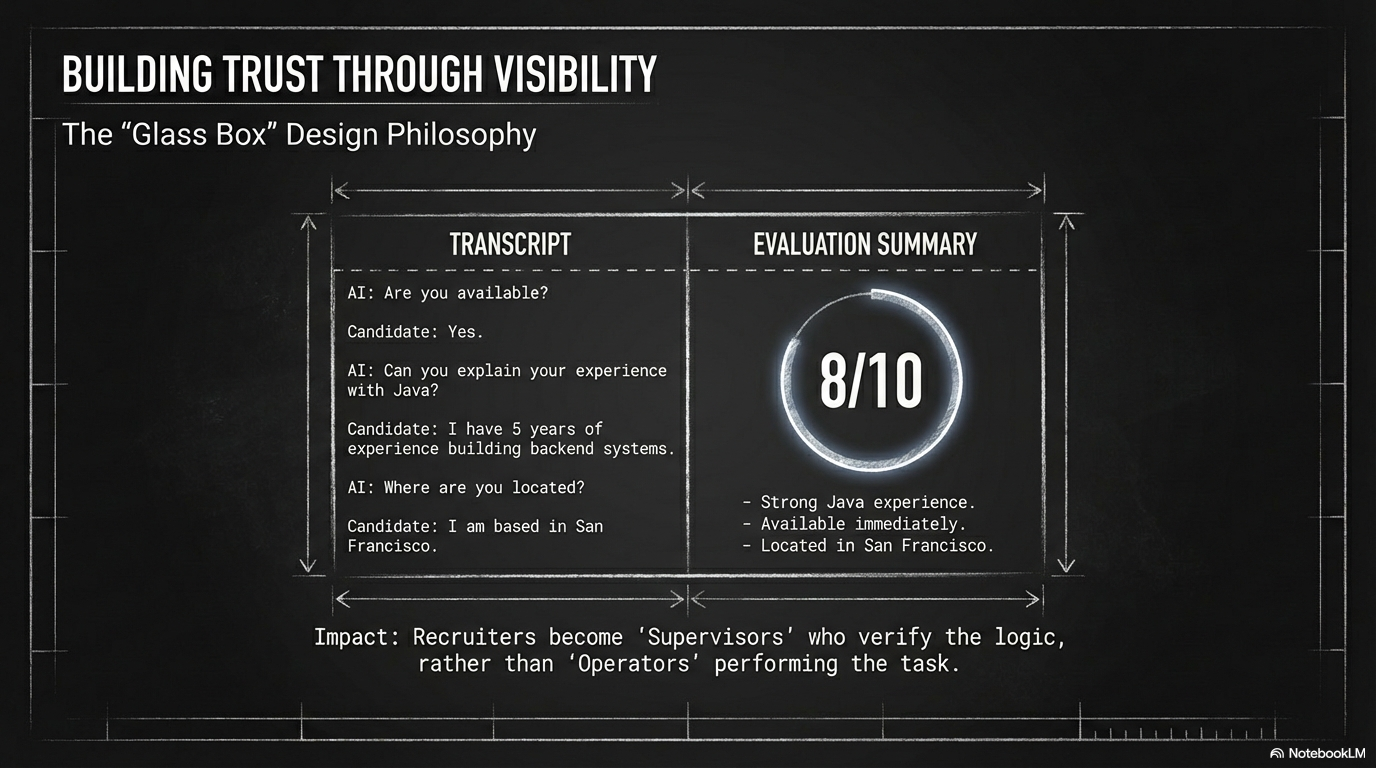
- Function: This agent acts as the decision-maker. It analyzes the output from the Voice Agent and assigns a Fit Score (1-10).
- Multi-Factor Analysis: I designed this agent to support three modes: assessing the Resume only, the Voice Transcript only, or a holistic Resume + Voice analysis.
- Submission Logic: It determines if a candidate is "Submission Ready". If the score meets the threshold (e.g., 8/10), it triggers an Object Writeback to automatically create the submission record in the ATS, completing the loop without human data entry.
Step 3: Solving "Auto-Submission" in the Agentic World
We transformed Auto-Submission from a "workflow" into a fully autonomous loop where Grace coordinates her sub-agents to execute the task:
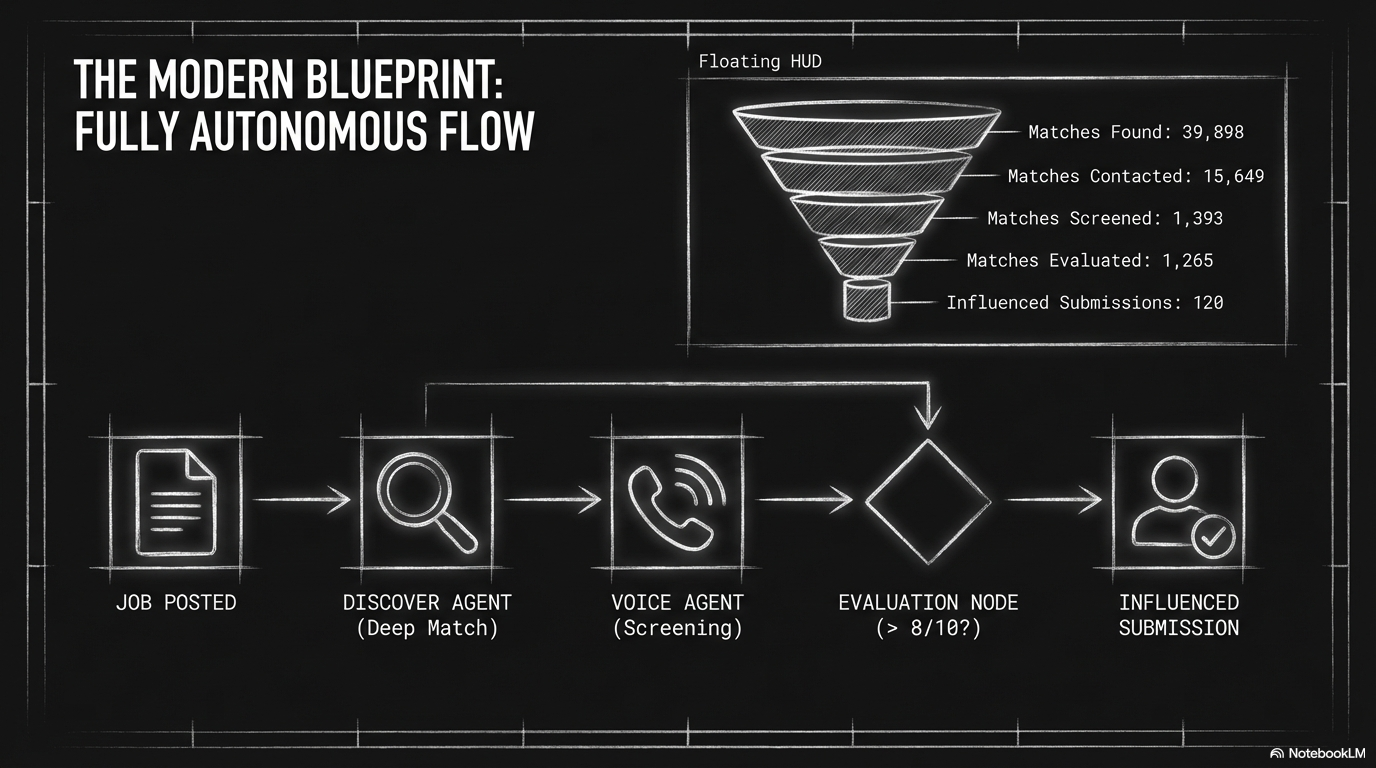
- Trigger (The Watcher): Grace detects a "New Job Order" in the ATS.
- Sourcing (The Hand-off): Grace activates the Discover Agent to fetch the top 50 matches.
- Engagement (Multimodal):
- Grace deploys the Multimodal Agent.
- Scenario: The agent sends an SMS. The candidate replies, "Call me."
- The agent autonomously switches to the Voice Channel, initiates the call, and conducts the pre-screen using the script generated by the Agent Builder.
- Decision (The Closer):
- The Evaluation Agent reads the transcript.
- Logic: IF Score > 8/10 AND Interest = High → THEN trigger "Create ATS Record".
- The Result: The candidate is submitted to the Hiring Manager without a human recruiter ever logging in.
Outcomes & Impact
By evolving the Auto-Submission use case from a manual task to an agentic workflow, we achieved significant results:
1. 2025-2026 Strategic Wins
- Unprecedented Speed: For client BGSF, the AI Recruiter placed a hard-to-fill role in just 11.1 hours. The system achieved a 2-minute engagement time after application and completed screening within 7 minutes.
- Quality Benchmark: The AI Agent is finding 20 qualified evaluations per 100 candidates, a conversion rate that outperforms the average human recruiter.
- Engagement Depth: We found that 60% of cold calls made by the Voice Agent last over 8 minutes, proving that candidates are willing to engage deeply with the AI.
2. Business ROI
- Productivity: Saved 50,000+ hours of manager time for HCA (Healthcare), equivalent to dozens of full-time employees.
- Capacity Multiplier: Customers like Carvana achieved a 3x increase in weekly start capacity per recruiter.
- Revenue Impact: The AI Recruiter product line has tracked toward $5M in Booked ARR, validating the market demand for autonomous agents.
3. Operational Efficiency
- Scheduling Scale: The automation resulted in a massive increase in volume, with 404,507 meetings scheduled YTD (a 175% increase year-over-year).
- Rapid Evaluation: The AI Recruiter reduced the "Time to Evaluate" a candidate to just 33 minutes (from application to scored evaluation).
Outcomes & Impact
By evolving Auto-Submission from a manual task to an agentic workflow, we achieved measurable results across speed, scale, and candidate experience.
2025-2026 Strategic Wins
Unprecedented Speed to Lead
For client BGSF, the AI Recruiter placed a hard-to-fill role in just 11.1 hours from application to hire.
Operational Transformation
The ecosystem saved 50,000+ hours of manager time for HCA, equivalent to dozens of full-time employees.
Brand Reputation
Helped TalentBurst flip their Glassdoor rating from 2.0 to 4.2, turning candidate sentiment into a competitive advantage.
Referral Velocity
Drove 107 referrals in just 45 days for Dietitians On Demand, proving the system can generate its own pipeline.
Capacity Multiplier
Carvana achieved a 3x increase in weekly start capacity per recruiter by utilizing the full automation suite.
Enterprise Adoption
The AI Recruiter product line has tracked toward $4.6M in Post-Pilot ARR.
General Business ROI
AI Agent Performance
Rapid Evaluation
The AI Recruiter reduced the "Time to Evaluate" a candidate to just 33 minutes from application to scored evaluation.
Quality Benchmark
The AI Agent is now finding 20 qualified evaluations per 100 candidates, outperforming the average human recruiter.
Funnel Optimization
In one live example, the system processed 12,821 matches, contacted 3,699, screened 127, and filtered to 15 influenced placements.
Scheduling Scale
404,507 meetings scheduled YTD—a 175% increase year-over-year.
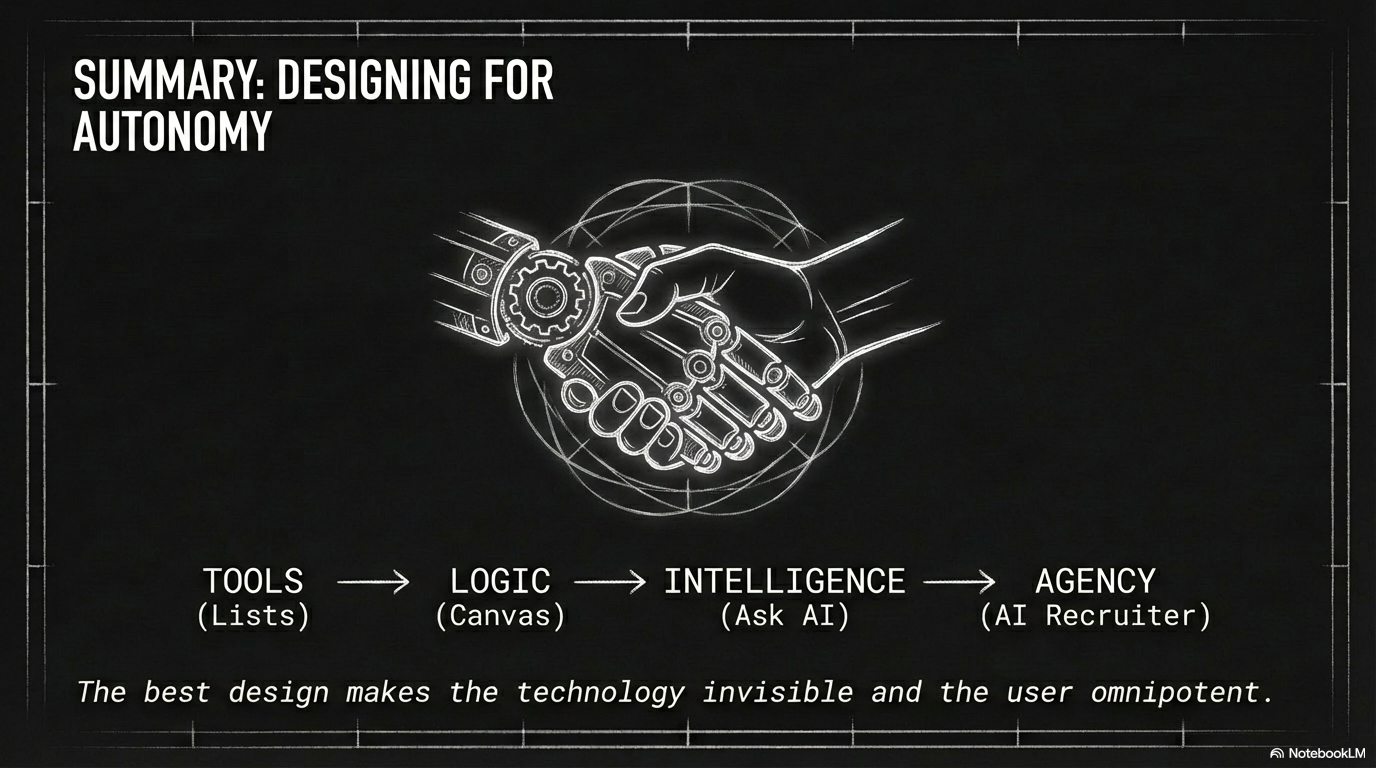
Conclusion: From Tools to Teammates
The evolution of the Sense platform from Journeys 1.0 to the AI Recruiter represents a fundamental paradigm shift in product design: moving from building tools that users operate to designing digital teammates that operate themselves.
1. Solving the "Black Hole" of Communication
The most significant impact of this design evolution was solving the "Black Hole" of recruitment—where candidates apply and never hear back. By transitioning from manual "blasts" (Phase 1) to "Action-Based Targeting" (Phase 2) and finally to "Autonomous Agents" (Phase 4), we ensured that every candidate receives a personalized, instant response, whether via text, email, or a voice call.
2. The "Glass Box" Design Philosophy
A critical design challenge was ensuring that as the system became more intelligent, it didn't become a "black box" that recruiters feared. By visualizing the AI's logic (Voice flows, Evaluation scores, and Branching paths) directly on the Workflow Canvas, I maintained user trust. Recruiters aren't replaced; they are elevated to supervisors who manage the AI's strategy rather than executing its tasks.
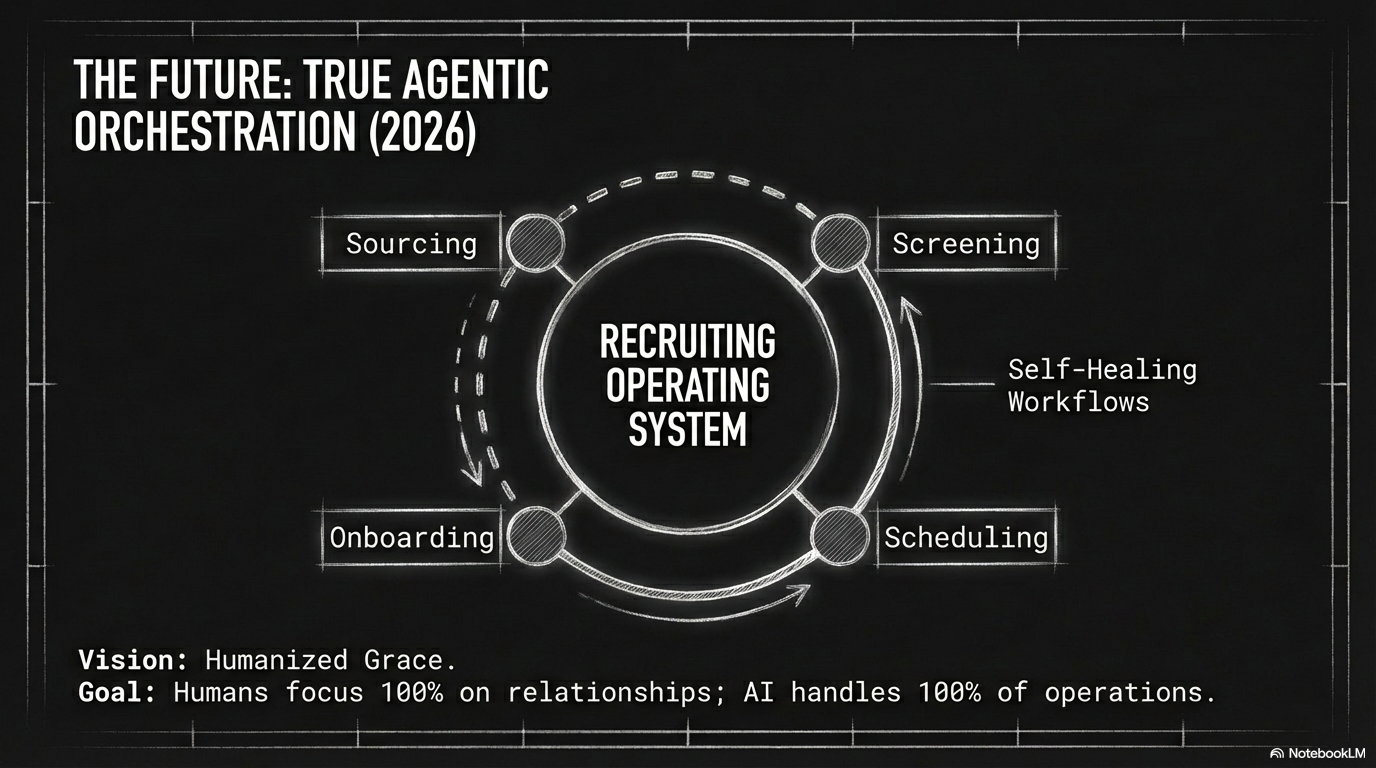
3. Future Vision: True Agentic AIR
This case study documents the foundation for Sense's vision of "True Agentic AIR" (Humanized Grace) by 2026. We have successfully moved from automation (efficiency) to orchestration (intelligence). The systems we designed—specifically the interplay between the Workflow infrastructure and specialized sub-agents like Voice and Jarvis—have paved the way for a future where AI handles the entire operational lifecycle, allowing human recruiters to focus entirely on building relationships.